
Token2 PIN+ Dual Ace: a hands‑on review with Microsoft 365
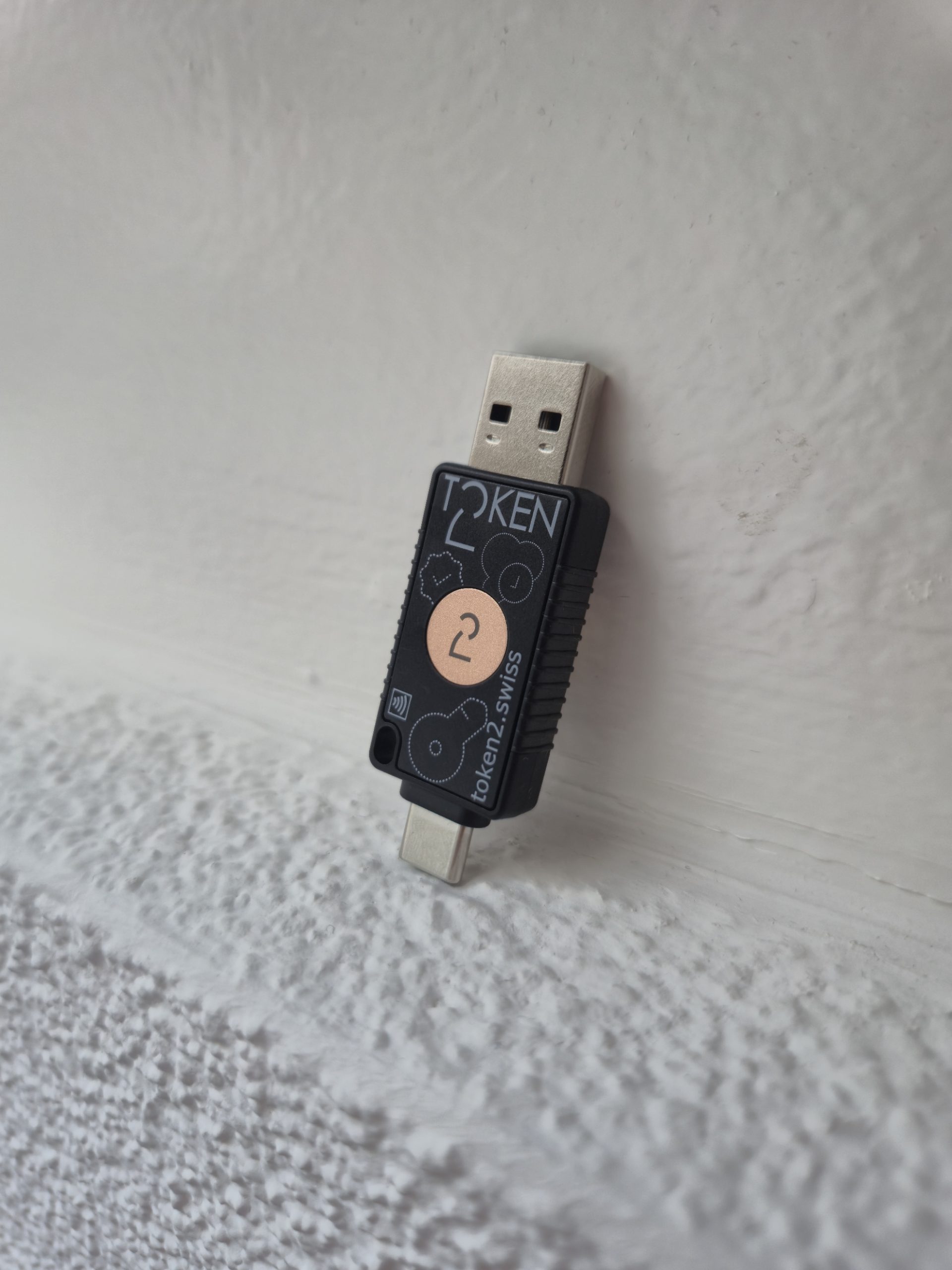 Token2’s stainless‑steel PIN+ Dual Ace has been available to order since 19 October 2026. Token2 provided us a review unit, and over a three‑week period we put it through its paces in a real Microsoft 365 / Entra ID environment. We evaluated how the new stainless frame, full‑metal USB‑A and Release 3.4 firmware perform in day‑to‑day operations.
This hands‑on review captures our first impressions of the redesigned key and then drills into practical testing. Provisioning and enrolment in Entra ID, interactive sign‑ins and SSO, Conditional Access interactions, NFC behaviour, sensor ergonomics, and the operational impact of Release 3.4 (notably the 300‑passkey limit and always_uv enabled by default) are some of the areas we tested.
Quick spec summary
- Part no: PINPlusDualAce (T2-125)
- Form factor: USB key with stainless‑steel frame; polycarbonate (short PC) front/back panels and side grips for NFC performance
- Interfaces: USB‑A, USB‑C, NFC
- Sensors: Two capacitive touch sensors (front and back)
- FIDO: FIDO2 / U2F support; Certification: L2; AAGUID: eabb46cc-e241-80bf-ae9e-96fa6d2975cf
- Resident passkeys: 300 (device‑stored)
- OTP: TOTP/HOTP supported; up to 50 OTP profiles; OTPs can be password‑protected (100‑attempt lockout, 5‑minute OTP session)
- PIN policy: Minimum 6 digits, complexity enforced at firmware level
- Smart card / crypto: PIV support, OpenPGP support; Secure Messaging added in Firmware 3.4
- Firmware 3.4 highlights: always_uv default for resident passkeys, enhanced PIV/OpenPGP support, Secure Messaging, OTP password protection and lockout, improved USB‑C compatibility and high‑voltage protection for docks
- Dimensions: 56 × 19.3 × 8 mm; keyring slot: 3 × 4 mm opening, 7 mm deep (fits rings <2 mm thick)
- Manufacture: Token2 controlled (firmware and hardware)
Firmware release 3.4
Release 3.4 brings sensible security defaults and a few management realities that matter in an enterprise rollout.
- always_uv enabled by default:Resident (device‑stored) passkeys now require on‑device user verification (PIN) by default. This raises security. If the key is lost, an attacker can’t just “touch” to authenticate. But this change, changes the UX: some one‑tap SSO flows now involve a brief PIN entry. In practice, it’s a one‑ or two‑second step. It’s noticeable only if you’re used to touch‑only workflows.
- 300 resident passkey limit: The Ace stores up to 300 resident passkeys. That’s more than enough for most users, but heavy users who register many device‑resident passkeys (developers, admins, testers) should be aware of the cap. Removing resident keys is manual, so include lifecycle guidance in your rollout.
- PIN complexity: The new firmware enforces a 6‑digit minimum with complexity.
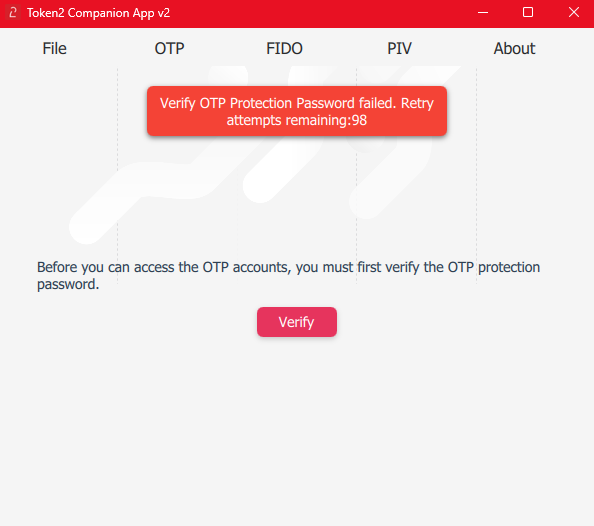
- OTP protections: Up to 50 OTP profiles on the device. OTPs can be password protected. After 100 failed OTP password attempts the OTP feature locks and a successful authentication opens a 5‑minute OTP session. This defends on‑device TOTP secrets from brute force but requires users to adopt Token2’s companion app for management.
- Stability & PIV/OpenPGP: The firmware also improves PIV and OpenPGP support, adds Secure Messaging, and improves USB‑C/docking station behaviour (high‑voltage protection). Practically that translated to fewer disconnects when Michele used the key through a powered dock.
Known limitations
- The 300 resident passkey cap is a hard limit.
- always_uv changes expectations for “touch only” sign‑ins. The PIN is always required!
- OTP management needs the companion app and the lockout policy is intentionally strict.
First impressions
Pulling the Ace from the box, the stainless frame is the thing you notice first. It gives the key a satisfyingly solid, premium feel. The metal USB‑A connector is rigid and sits in ports without the wobble some other plastic keys show. The polycarbonate (short PC) front and rear panels are purposely non‑metal so the NFC antenna can breathe.
What I tested and how
Over three weeks, Michele used the PIN+ Dual Ace for day‑to‑day passwordless sign‑ins on Windows 11 (Edge and Chrome) and Android (Chrome). He completed enrolment flows in Microsoft Entra ID (Security info), tested Conditional Access behavior (passwordless sign‑ins and policies that require device compliance), experimented with the NFC functionality on his phone, and exercised the OTP features via Token2’s companion apps.
Enrolment in Microsoft 365 / Entra ID
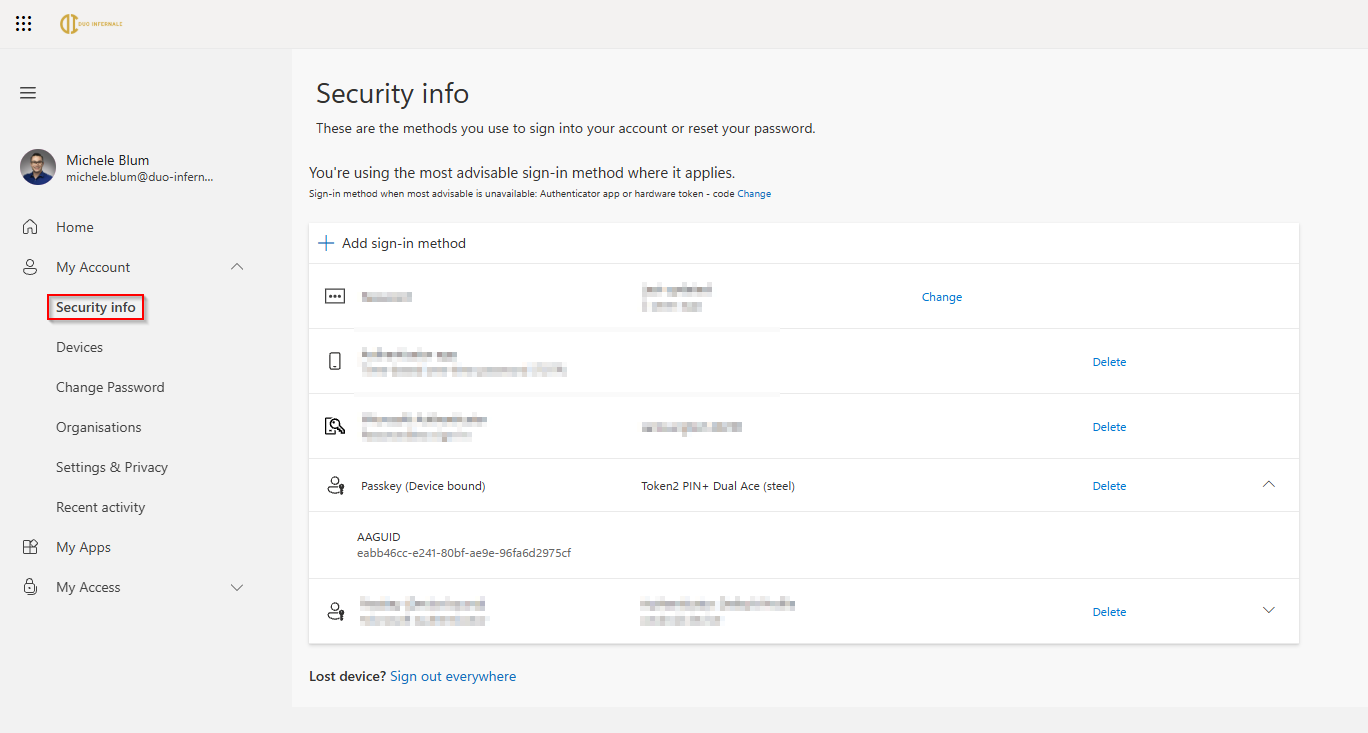
- Sign into https://myaccount.microsoft.com and open Security info.
- Add sign-in method → Passkey.
- Follow the browser prompts and connect your key with your device.
- Touch the sensor and set the token PIN when asked (firmware enforces a minimum 6‑digit complex PIN for resident passkeys).
- Confirm the key appears in Security info and try a sign‑in.
How to remove/replace a key
- User: My Account → Security info → delete the security key entry.
- Admin: Disable or remove the user’s sign‑in methods and, if appropriate, reset MFA in Entra ID.
Day‑to‑day sign‑ins, Conditional Access and SSO
The Ace behaves like a standard FIDO2 authenticator for passwordless access and satisfies common Conditional Access policies. In my CAP tests, a compliant device plus a FIDO2 sign‑in satisfied the rules I exercised and of course with the PIN prompt. Your tenant’s specific CAP policies may vary, so run representative tests before a wide rollout (managed vs. unmanaged devices, different OS versions, browser permutations).
NFC testing
On Android, holding the phone close to the PC panel reliably triggered enrolment and sign‑in in my tests. I occasionally needed to reposition the key for a successful read, but overall NFC felt dependable enough for everyday use.
OTP use and practicalities
Token2 supports TOTP/HOTP on the device but requires the companion app (Android/iOS/Windows or the cross‑platform Python tool) to manage secrets. The password protection and lockout behaviour (100 failed attempts, 5‑minute session) make on‑device OTP suitable for higher‑security scenarios.
Conclusion
Token2’s PIN+ Dual Ace blends real‑world durability with a security‑first firmware profile. The stainless frame and robust USB‑A/C connectors make it feel built for everyday carry. Michele can vouch for that after three weeks on his crowded keychain without a scratch. The Firmware release 3.4 brings defaults that favour stronger on‑device protections (always_uv, stricter PIN, OTP lockouts). Those choices introduce small UX tradeoffs and a practical resident passkey limit, but for organizations that prioritize durability and security in their Microsoft 365/Entra ID environment, the Dual Ace is a compelling, enterprise‑ready, and even cheaper option than his competitors.