
Data on holiday: will Microsoft pack your files for you?
The problem as it stands today
Who and what is affected
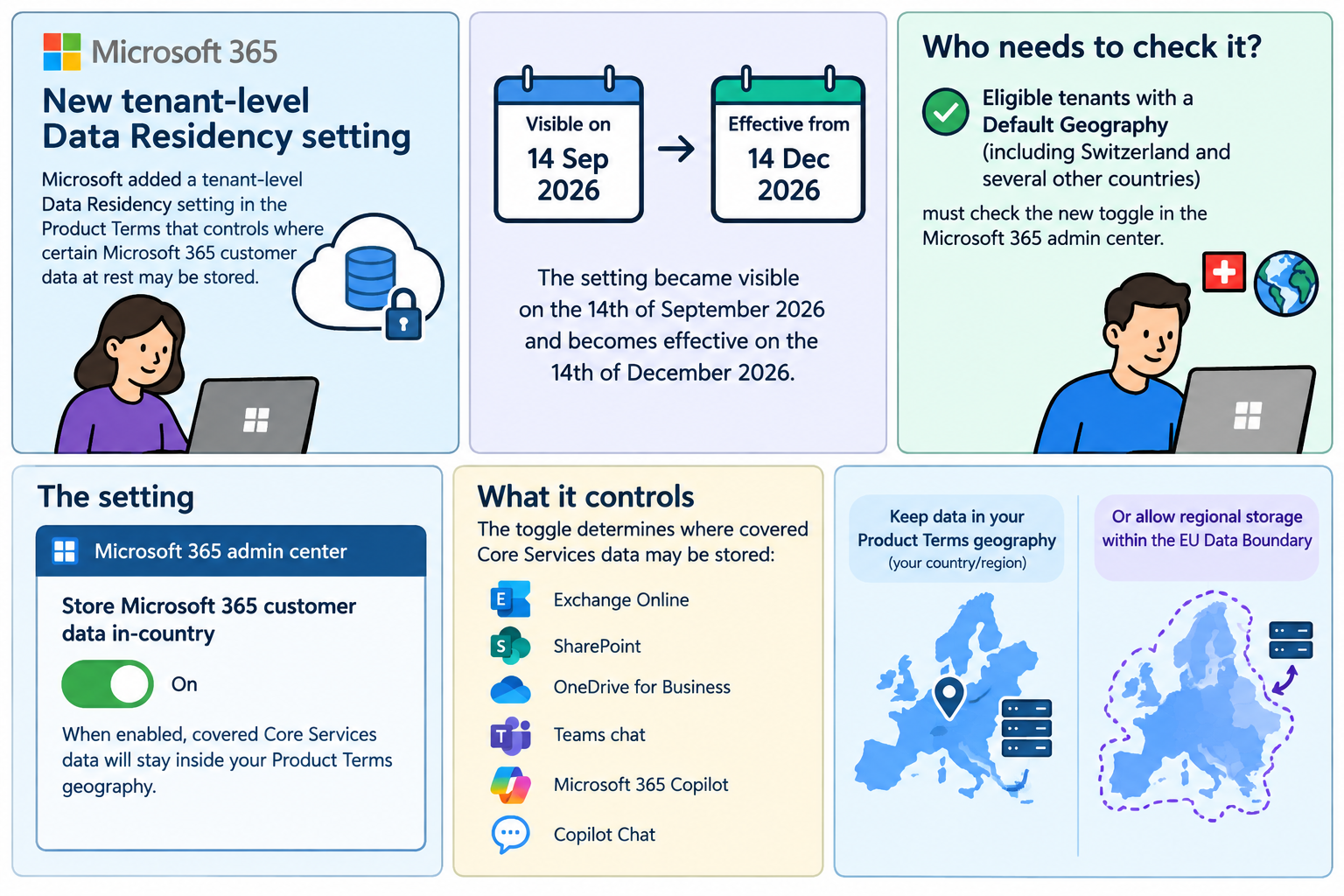
This change isn’t just about Switzerland. The Product Terms data residency commitments and the new admin toggle apply to eligible tenants with a Default Geography in a set of countries and geographies, including (but not limited to): Australia, Brazil, Canada, France, Germany, India, Japan, Norway, Qatar, South Africa, South Korea, Sweden, Switzerland, the United Kingdom, the United Arab Emirates, the United States, and the European Union. The Core Services covered are Exchange Online, SharePoint Online, OneDrive for Business, Microsoft Teams chat, Microsoft 365 Copilot and Microsoft 365 Copilot Chat.
Why this matters
A tiny switch in the Admin Center changes your contractual data‑at‑rest posture. If your organization needs demonstrable in‑country residency for audits, procurement, or regulatory compliance, the setting must be On. If you leave it Off, Microsoft may place some covered data inside the EU Data Boundary. That could conflict with legal, contractual or procurement commitments, and reversing that choice is not immediate.
What we recommend
If your organization is Swiss-centric or requires proof that the covered Microsoft 365 data remains in Switzerland, do the following immediately:
- Verify and lock the setting now. Go to the Data Location card and set Store Microsoft 365 customer data in‑country to On.
- Confirm whether in‑country residency is a contractual or regulatory requirement. If it is, keep the setting On and record the decision in governance documentation.
-
How to check and change the setting (step‑by‑step)
- Sign in to the Microsoft 365 admin center as a Global Administrator.
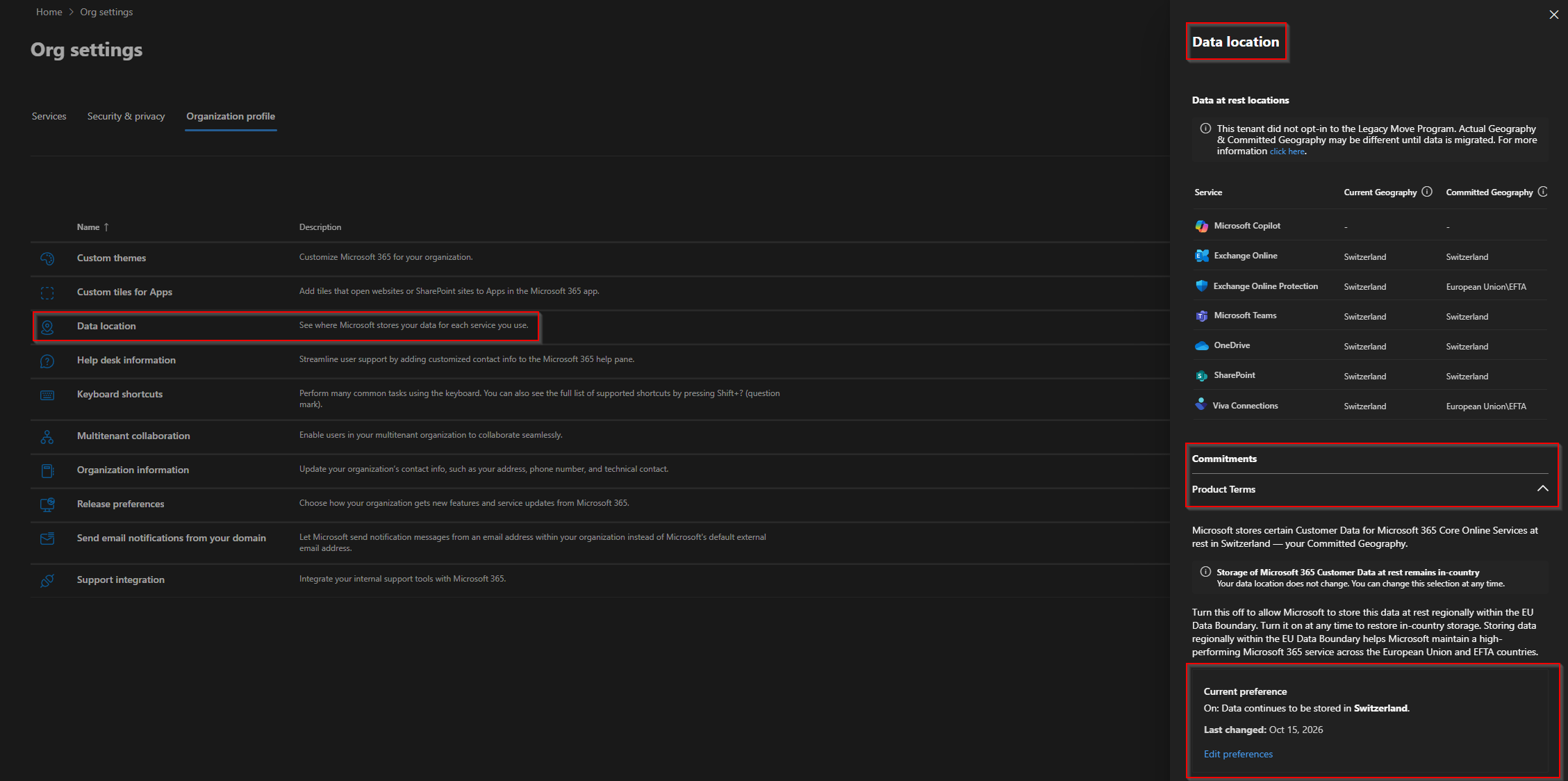
- Navigate to Settings → Org settings → Organization profile → Data location → Commitments (Product Terms).
- Find Store Microsoft 365 customer data in‑country and check the current value:
- On = Microsoft will keep the covered Core Services data at rest inside your Product Terms geography.
- Off = Microsoft may store the covered Core Services data regionally within the EU Data Boundary after the 14th of December 2026.
- If you change the setting, document the change and expect the migration/re‑commitment to take up to ∼6 months if you switch On after being Off.
Practical considerations and caveats
- This setting does not change EU Data Boundary (short EUDB) commitments. If you have an EUDB commitment it remains in force irrespective of this toggle.
- Advanced Data Residency or Multi‑Geo customers do not see this setting. Their data location is governed by those contracts and services.
- The setting applies to data at rest for the Core Services listed. It does not automatically change other Microsoft services or telemetry.
- The migration/re‑commitment timeline is an operational reality.
- Check Microsoft Learn / Product Terms for the latest, authoritative language and eligibility lists.
Conclusion
A seemingly small admin setting has outsized implications for data residency and compliance. This affects multiple countries, not just Switzerland, and the clock matters. Review your setting now, involve legal and security, and document your decision before the 14th of December 2026. Changing your mind later is possible but expect a migration timeline measured in months.