
Don’t wait – prepare now for Secure Boot certificate expirations
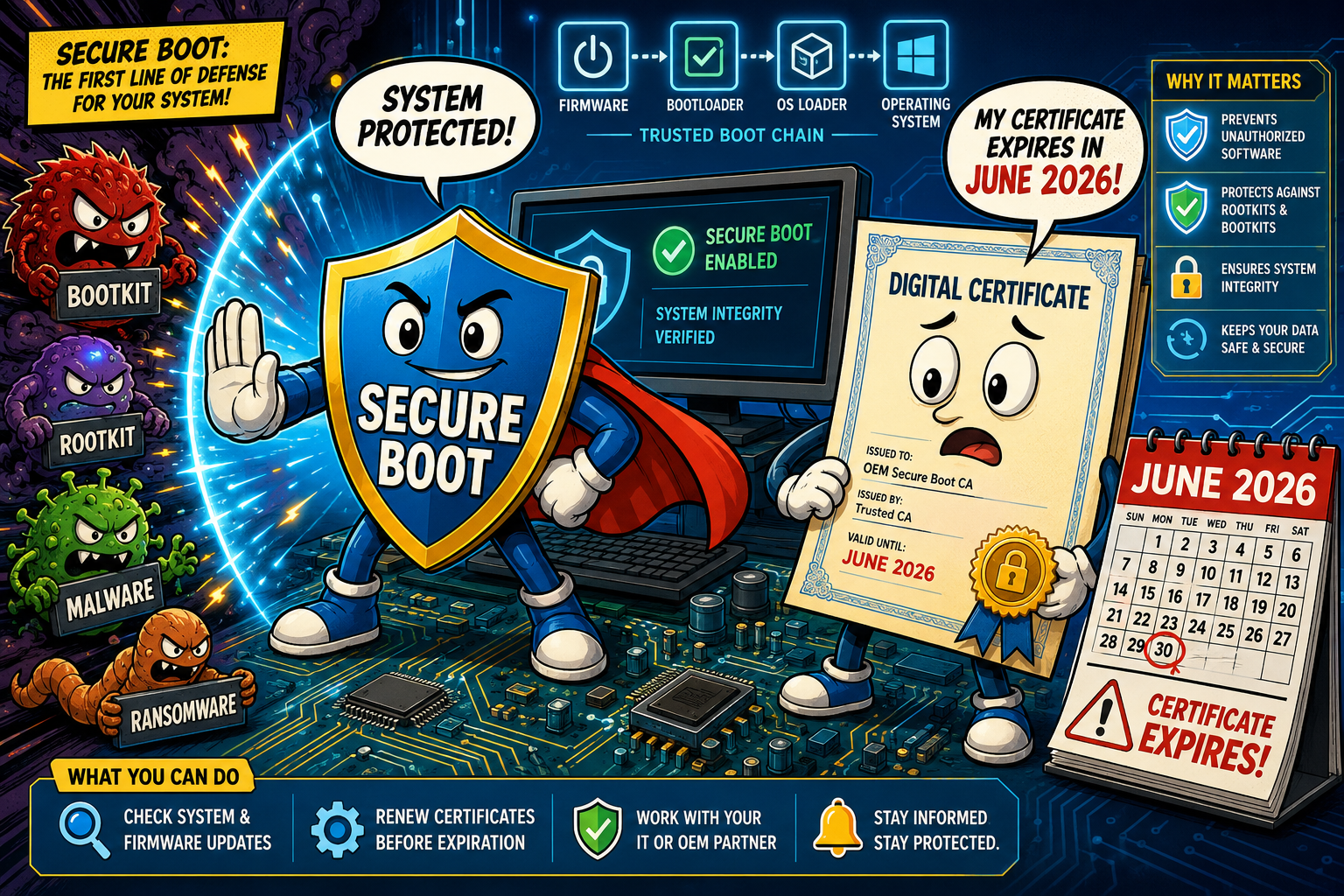
Beginning in June 2026 Microsoft will start replacing the Secure Boot certificates that have been in devices since 2011. This is a global, large‑scale, time‑bound change that touches the firmware trust chain on millions of Windows devices. It affects both physical hardware and virtual machines. I’ll walk you through the basics: what’s changing, why it matters, and who is affected.
IMPORTANT: Read the Secure Boot playbook and aka.ms/GetSecureBoot before you make changes to your environment. Visit both websites for more information.
The basics – UEFI
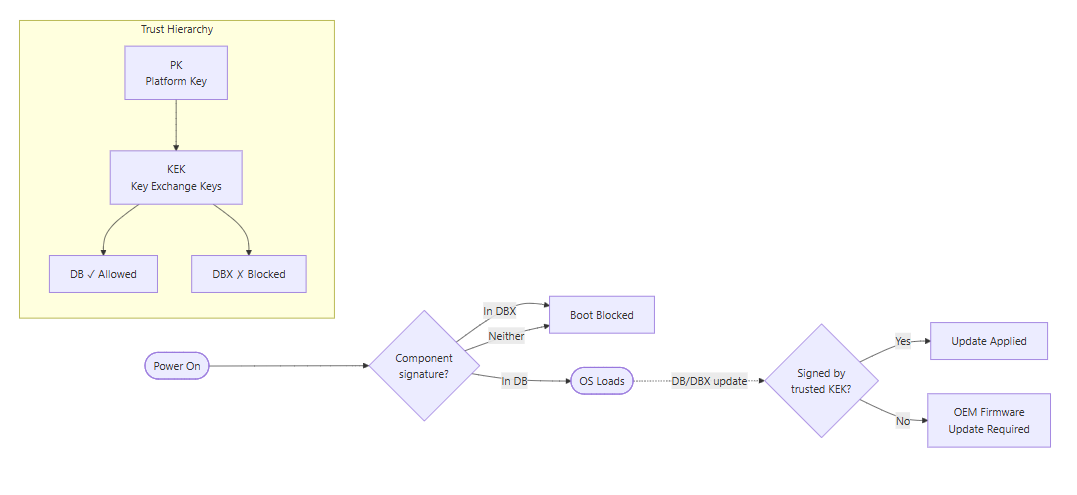
Secure Boot is a Unified Extensible Firmware Interface (short UEFI) firmware feature that checks digital signatures at startup to ensure only trusted code runs before the operating system (short OS) loads. At a high level, the UEFI firmware keeps a small set of keys and lists that define what’s trusted and what’s explicitly blocked. The Platform Key (short PK) is the root authority provisioned by the OEM, and it controls who can change the next level down. Key Exchange Keys (short KEK) are the certificates the firmware trusts to authenticate updates to the trust lists. The Allowed Signature Database (short DB) is the allowlist. Certificates or hashes in DB let UEFI applications, bootloaders, and Option ROMs run. The Forbidden Signature Database (short DBX) is the revoke list. The entries there block specific known‑bad components.
The basics – update procedure
When Microsoft signs a DB or DBX update it uses a key that chains to a certificate in the KEK store. UEFI firmware that both recognizes and trusts that KEK will accept and apply the update. If the firmware lacks the necessary KEK entries, the OS‑level update will be rejected and an OEM firmware update (if available) is required to add them.
Even when the KEK entries exist, you can still run into trouble if they aren’t correctly activated in the UEFI setup. For example if the KEK isn’t marked as trusted, the UEFI variables aren’t written reliably, or Secure Boot state toggles between boots. Those kinds of changes alter the platform’s measured‑boot Platform Configuration Register (short PCR) values, so the Trusted Platform Module (short TPM) refuses to release BitLocker keys and the device drops into recovery. If the firmware repeatedly fails to persist the expected KEK/DB state (or flips Secure Boot on and off), BitLocker can end up asking for recovery on every startup.
To avoid recovery loops, treat KEK/DB and firmware changes as maintenance work. Suspend BitLocker on target devices before you begin, run updates in a pilot ring, and validate that the KEK/DB entries persist and Secure Boot remains stable before broad rollout.
Be also prepared for manual intervention on some models. For example, certain HP systems won’t accept or “activate” the new certificates automatically via Intune / HP Connect. Those machines required physical access to the UEFI setup. I had to learn that the hard way…
What’s changing
The certificates Microsoft issued in 2011 that live in KEK and DB are reaching end of validity and must be replaced so devices can continue to accept DB and DBX updates and receive boot‑time mitigations. Microsoft is rolling in 2023‑dated certificate authorities to replace the old CAs. The key dates to track are:
- June 2026: Microsoft Corporation KEK CA 2011 → Microsoft Corporation KEK 2K CA 2023 (stored in KEK; authorizes DB/DBX updates).
- June 2026: Microsoft UEFI CA 2011 → Microsoft UEFI CA 2023 and Microsoft Option ROM UEFI CA 2023 (stored in DB; separates bootloader signing from Option ROM signing).
- October 2026: Microsoft Windows Production PCA 2011 → Windows UEFI CA 2023 (stored in DB; signs Windows bootloader and boot components).
Microsoft will deliver the 2023 certificates through Windows Update (opt‑in), but when the platform firmware itself needs to be changed you must apply OEM firmware updates. A practical guidance many admins are using is that systems shipped after the 1st of January 2024, are unlikely to require a firmware update. However, that cutoff is a rule of thumb, not an absolute. There are exceptions. Some newer systems still required a firmware update in my customers environments, because OEMs ship different firmware branches, some models leave UEFI variables unchanged by default, or vendor tooling/firmware builds vary. So don’t rely on the date alone!
Why this matters
Machines that don’t receive the 2023 Secure Boot certificates by the expiry dates will generally continue to start and run, and most Windows updates will still apply. The critical difference is that those systems will no longer be able to accept new Secure Boot database (short DB) or revocation (short DBX) updates, Windows Boot Manager mitigations, or other early‑boot security fixes that depend on the refreshed trust anchors. Over time that creates a widening protection gap against boot‑level threats. BlackLotus is an example of why preserving this chain is important.
Practically, an un-updated device can also stop trusting components signed only by the new CAs. Third‑party bootloaders, Option ROMs, or drivers may fail to load, and scenarios that rely on Secure Boot trust (BitLocker hardening, boot‑level code integrity, attestation or virtualization workflows) can lose protection or become incompatible with newly signed components. Even worse, if Microsoft ever publishes the old 2011 CAs into DBX (the forbidden list), anything signed solely by those CAs could be explicitly blocked. Potentially preventing some machines from booting until they trust the newer CAs. Do not disable Secure Boot to “work around” this. Doing so removes critical pre‑OS protections and creates compliance and security risk.
Who is affected
Most Windows PCs and server systems released since 2012 are affected. Consumer and enterprise Windows 10 and 11 devices, and supported Windows Server releases dating back to Server 2012 / 2012 R2 are in scope of this change. Virtual machines that inherit firmware certificate state are also affected.
What you need to do now
Special considerations
- Virtual machines: VMs that have Secure Boot can be impacted. Consult your hypervisor vendor guidance.
- Custom key management: If you manage PK/KEK yourself, you must explicitly add Microsoft’s new CAs to your KEK/DB stores to allow Microsoft‑signed DB/DBX updates and boot components.
- Windows 10 support: With mainstream Windows 10 support ended on the 14th of October 2025, ensure systems are on a supported servicing path or enrolled in Extended Security Updates (short ESU).
Conclusion
Sources
- Act now: Secure Boot certificates expire in June 2026
- Windows Secure Boot certificate expiration and CA updates (KB 5062710)
- Windows devices for home users, businesses, and schools with Microsoft‑managed updates (KB 5062711)
- When Secure Boot certificates expire on Windows devices (KB 5079373)
- Secure Boot playbook and https://aka.ms/GetSecureBoot